

Documentation Index
Fetch the complete documentation index at: https://docs.asymptotelabs.ai/llms.txt
Use this file to discover all available pages before exploring further.
Dashboard
Beacon includes a local-only dashboard for inspecting the runtime JSONL log. The dashboard binds to loopback by default and is intended for local investigation, not remote administration.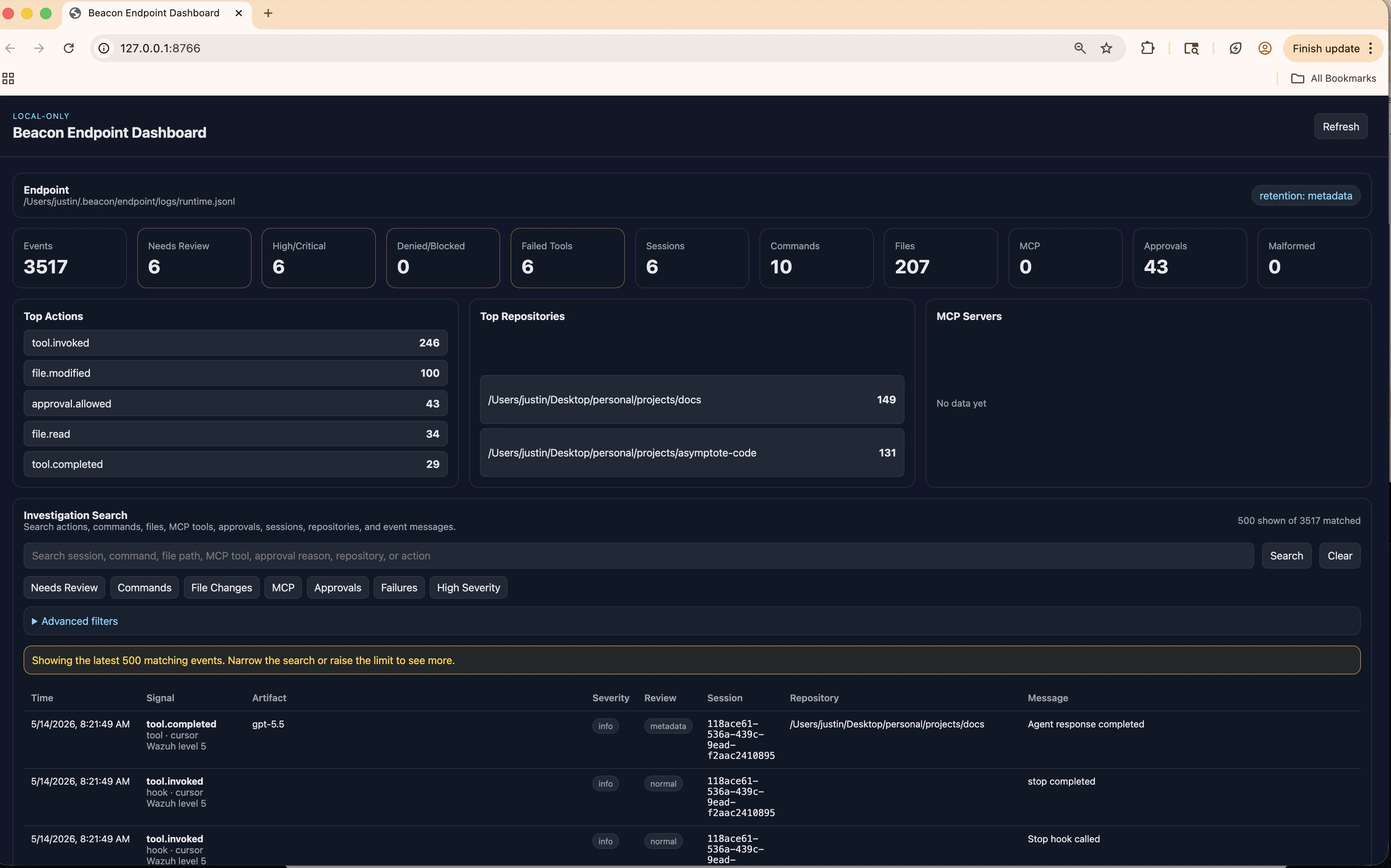
beacon endpoint dashboard
Start the local dashboard, open it in a browser, or bind it to a custom local address.
What it shows
The dashboard reads the configured runtime JSONL log and provides a read-only view of local Beacon events. In the default CLI setup, it reads the same per-user log used by Cursor hooks, Claude Code OTLP, and Codex OTLP telemetry.- Runtime inventory and summaries
- Event timelines and event details
- Search by action, command, file path, MCP-like tool, approval decision, repository, session, or message
- Quick filters for high-severity events, failures, approvals, MCP activity, file changes, and events that may need review
- Runtime-log source details and warnings when a system collector may be writing OTLP events to a different log
Flags
| Flag | Description |
|---|---|
--user | Use per-user endpoint paths. Enabled by default |
--system | Use system endpoint paths and launch daemon |
--log-path <path> | Runtime JSONL log path |
--addr <host:port> | Local dashboard listen address |
--open | Open the dashboard in a browser |
During normal use, the dashboard has no external network dependency. It reads local Beacon logs and serves a local read-only UI from a loopback address.